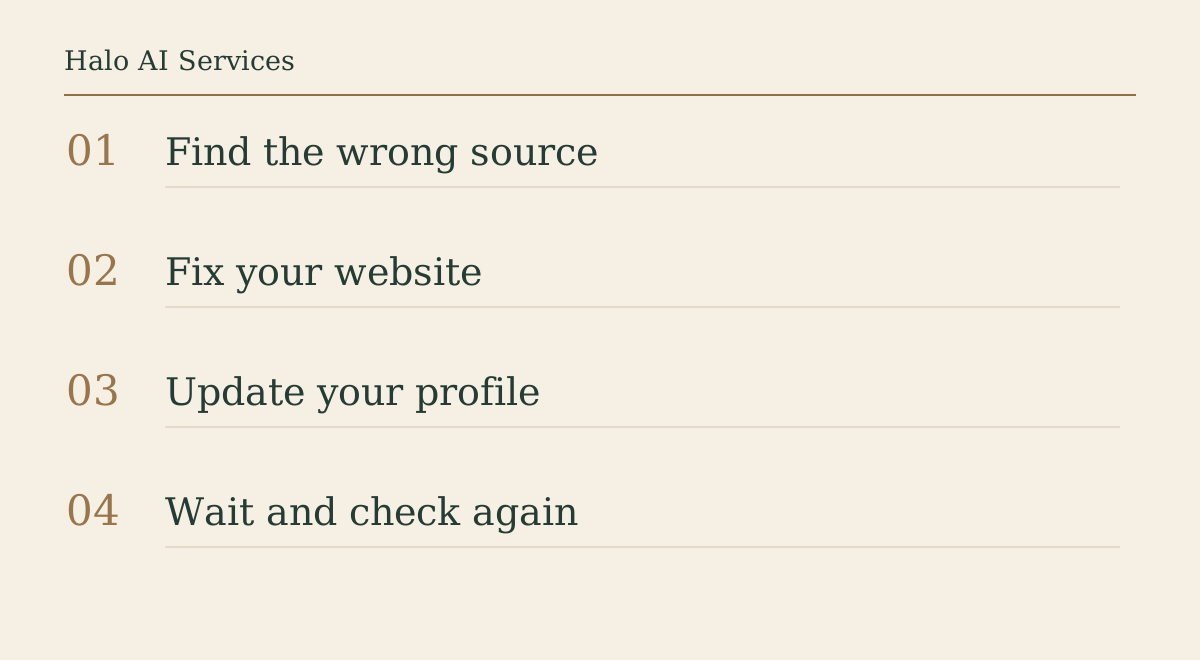
Answer first: You cannot edit an AI answer directly. You can correct the public sources it is likely drawing on: your own website, your Google Business Profile, your other listings, and any old page that still states the wrong fact. Fix those so they all say the same thing, ask Google to recrawl the page you changed, then check again after a set date instead of the same afternoon.
Why does an AI assistant say the wrong thing about my business?
Assistants such as ChatGPT search and Google's AI Overviews build answers from pages and profiles they can reach. When a reply says you close at 5pm, cover a town you left years ago, or still offer a service you dropped, the usual cause is ordinary: somewhere public still says it. Common culprits:
- An old service page or PDF price list still indexed on your own site.
- A Google Business Profile with outdated hours, categories, or service area.
- A directory listing created by a previous owner or agency.
- A trading name that differs between your website, Companies House, and social profiles.
That is not a claim about how any model works internally. It is where a correction is within your control.
How do I find where the wrong detail is coming from?
Write down the exact wrong statement, the assistant, the question you asked, and the date. Then search for that statement in plain Google, in quotes where it makes sense, plus your business name. If the assistant shows linked sources, open each one and look for the wrong fact.
Next, search your own site: footers, contact pages, "areas we cover" lists, and any PDF still linked from the menu. Then compare name, address, phone number, and service area across your listings. The local GEO and citations guide covers that consistency check in depth. This guide is about correcting one specific wrong answer.
What should I fix on my own website first?
Your website is the source you fully control, so start there:
- Update or remove the page that states the old fact. If a service has ended, say so plainly or take the page down.
- Put the correct details in HTML text on an easy-to-reach page such as Contact or About, not only in an image.
- If you use Organization or LocalBusiness structured data, make it match the visible text. Google's Organization structured data guide says the markup can help it understand your details and tell your organisation apart from others.
sameAslists your official profiles elsewhere. - Use URL Inspection in Search Console to request a recrawl. Google notes this can take several days.
Google's AI features guide says no special markup is required for AI Overviews or AI Mode.
How do I correct my Google Business Profile?
Google's help page on editing your Business Profile covers hours, special hours, service area, categories, phone numbers, and description. Points worth knowing:
- Google reviews edits before they go live, so a change is not instant.
- Changing your business name or address after verification may mean verifying again.
- In some regions a "Collected info" view shows details Google gathered, with their source and date. Check it if a wrong fact keeps returning.
If your business has a knowledge panel rather than a Business Profile, Google's knowledge panel help explains how to claim it where possible and how to submit feedback with links that verify the correct information.
What about Bing, directories and other listings?
Microsoft offers Bing Places for Business for claiming and updating a listing. For UK limited companies, registered details on Companies House are public, so check your trading and registered names are not causing confusion. Update the directories you can log into.
How long before the AI answer changes?
There is no published timetable that covers every assistant. Google says recrawling can take days. OpenAI's crawler documentation says ChatGPT search can take about 24 hours to adjust after a robots.txt change, which is not the same as re-reading updated content. Set a date, ask the same question again, and compare with your notes.
What should I not do?
- Do not publish a page that argues with the AI answer. Publish the correct fact.
- Do not create near-identical location pages to "outweigh" the error.
- Do not buy a tool that claims to edit what assistants say about you.
Where Halo fits
If a wrong detail keeps appearing and you cannot see its source, Halo's search, AEO and content service includes tracing public sources and tidying the pages behind them. The answer-engine visibility audit guide explains what that review checks. Send the wrong statement and the page it should match via the free AI audit. Halo does not guarantee that any assistant will change its answer.
FAQ
Can I ask ChatGPT or Google to correct an answer directly?
There is no general form for editing an AI answer. Correcting the public pages and profiles behind it is the route you control, plus Google's profile and knowledge panel feedback.
Does fixing my Google Business Profile fix AI Overviews?
It corrects one important source. Google says AI Overviews follow normal Search eligibility, but it does not promise any specific answer.
Should I add structured data to fix the problem?
Only if it matches the visible text. Google says Organization markup can help it understand your details, not that it guarantees display.
What if the wrong fact is on a site I do not control?
Contact the site owner or use the listing's correction process, and note the request and date.
Sources
- Google Search Central, Organization structured data.
- Google Search Central, AI features and your website.
- Google Business Profile Help, Edit your Business Profile.
- Google Knowledge Panel Help, Get verified on Google.
- OpenAI, Overview of OpenAI crawlers.